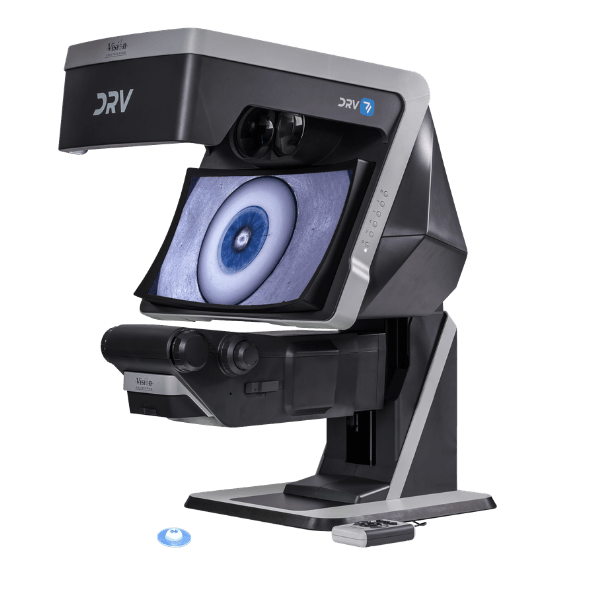
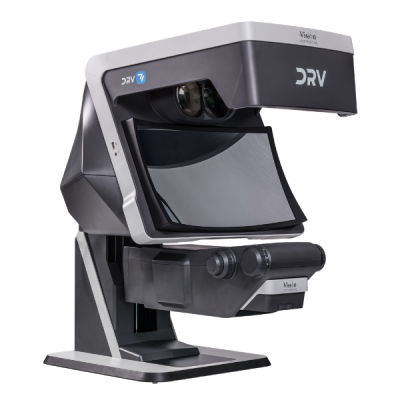
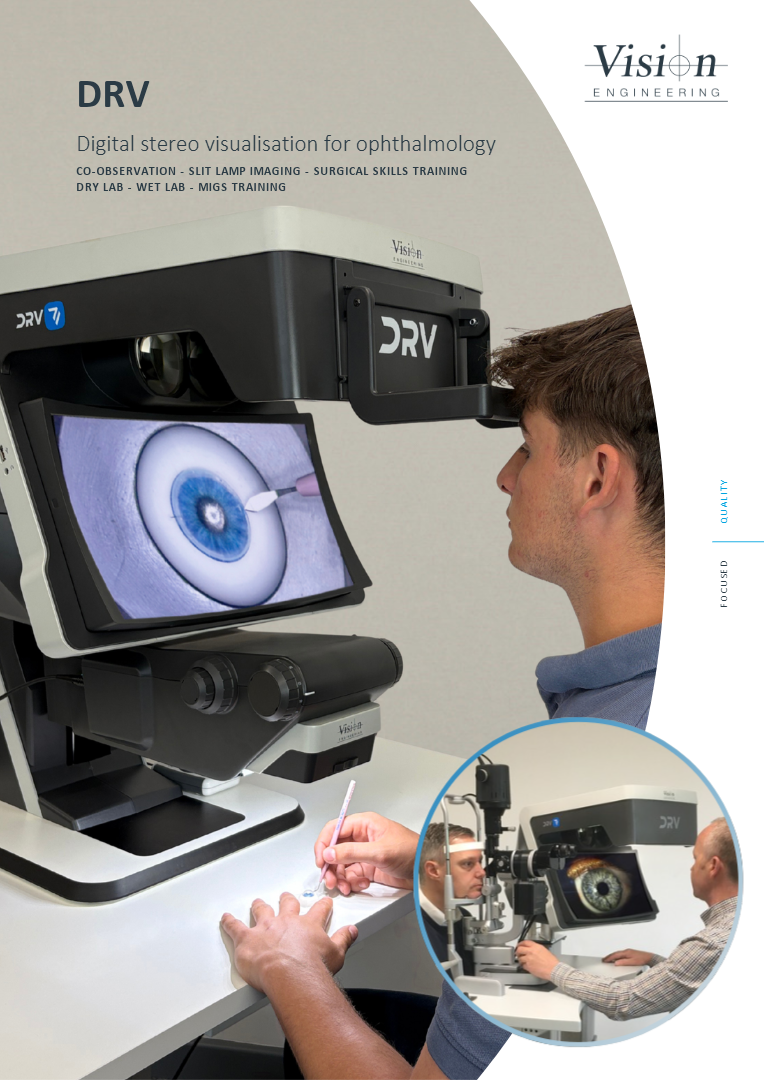
Deep Reality Viewer (DRV) is a unique, glasses-free stereo display designed to provide fully interactive, real time, natural 3D visualisation with outstanding depth perception.
Deep Reality Viewer enables users to view subjects in stereoscopic 3D without the need for special glasses or headsets. A combination of optical and digital technologies generate two independent optical paths to the user so that each eye sees the subject from a slightly different angle, thus replicating our natural stereo vision and perception of depth.

See true 3D depth without glasses
Experience immersive, glasses-free digital stereo 3D with natural depth perception, exceptional image brightness and zero cross-talk, ghosting or flicker. Height-adjustable and precision manufactured in the UK, it enables real-time collaboration and communication for an effortless 3D viewing experience.
Real time collaboration on a global scale
Share 3D full HD images across networks to other DRV systems in real time. Colleagues view live footage remotely, from the operating theatre to a second opinion thousands of miles away, without leaving the room. Record and recall archived 3D images and video easily.
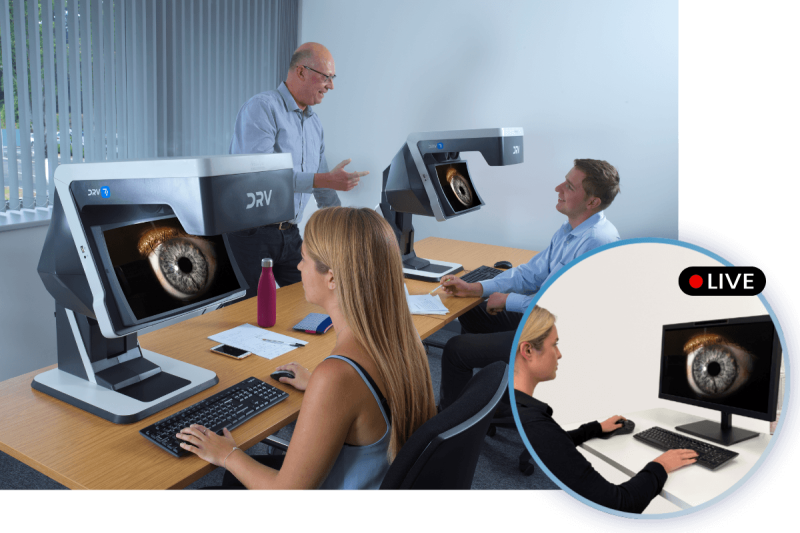

Our design philosophy centres on user ergonomics
DRV’s ergonomic design encourages good body posture with reduced eye fatigue which maximises productivity and quality over long periods of use.
Built for your workflow
DRV D-1
See more. See in 3D. When used in conjunction with our Stereo Camera Module, DRV-D1 brings live imagery from compatible surgical and slit-lamp microscopes to an immersive, glasses-free 3D display, while also enabling playback of pre-recorded stereo video.
DRV Z-1
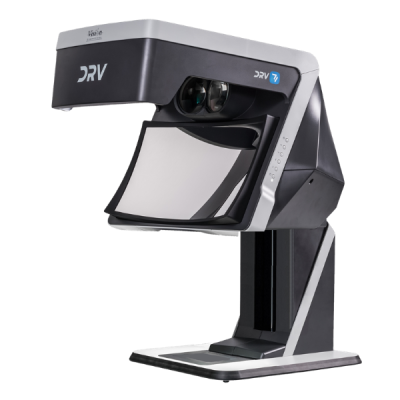
DRV-Z1 combines the display with an integrated zoom microscope. It works as a complete stand-alone system, ready to use out of the box, designed for simulated surgical training.
See the full range of applications on our Ophthalmology and ENT page.
DRV requires minimal setup as the stereo generating optics of DRV are precisely factory aligned which ensures optimal stereo fusion from the outset. No in-use maintenance or adjustment of image alignment is necessary.
Microscope integration
Add a digital stereo camera module to an optical stereo microscope to view, capture and share high quality images in stereo through DRV.
It also works with operating microscopes for heads-up surgery. You avoid the postural strain of bending over an eyepiece, or the polarisation glasses that clash with prescription eyewear and degrade image quality.
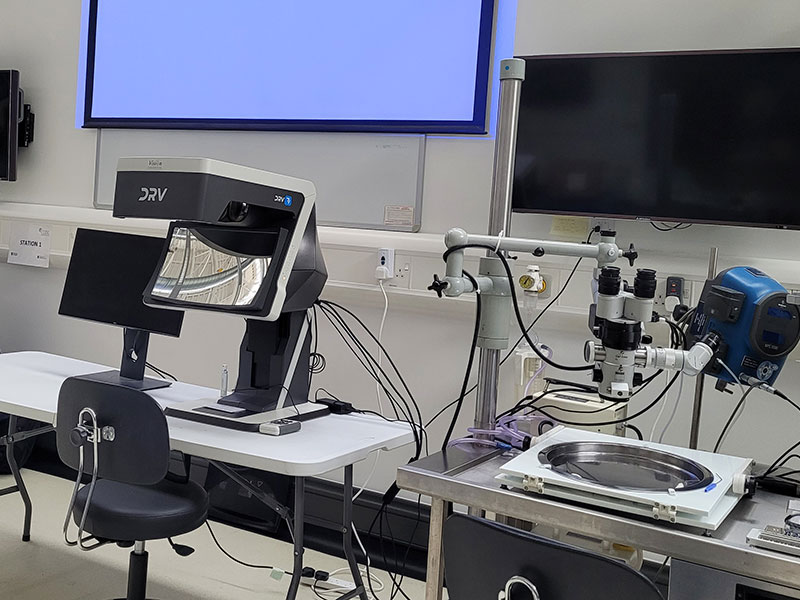
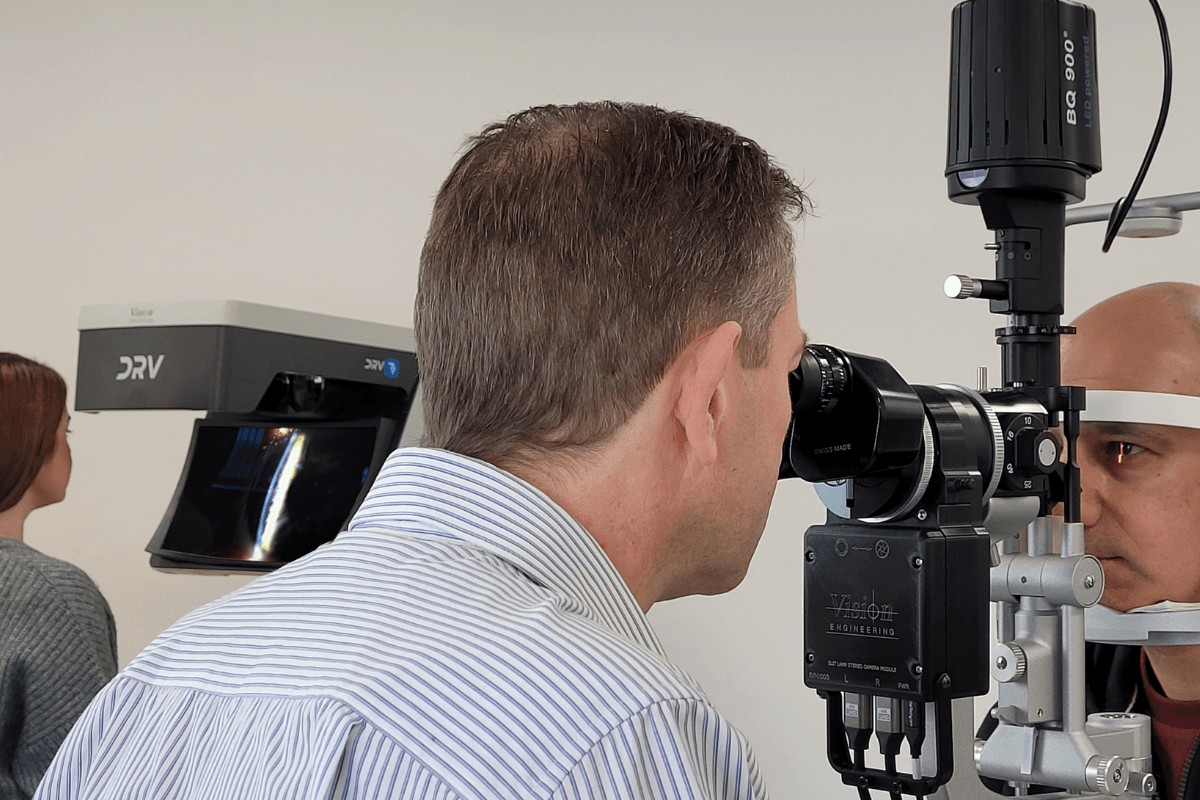
Stereo camera module Slit Lamp imaging
The module fits into a slit lamp’s optical system and converts its output into live stereoscopic 3D on DRV. Capture stills or video as you work.
Testimonials
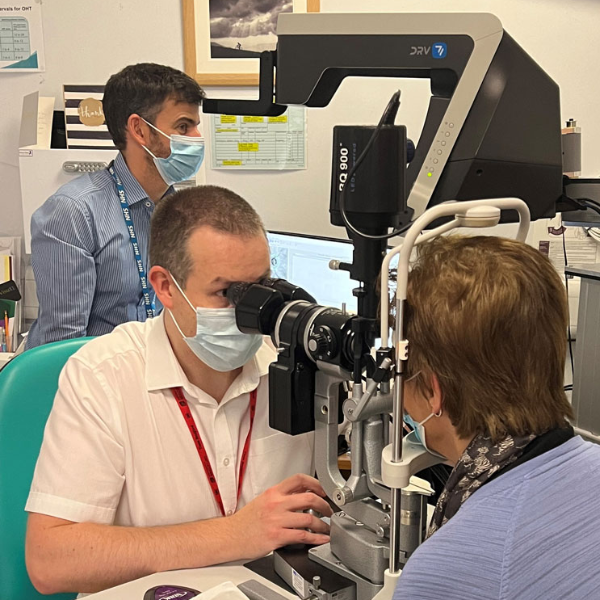
The quality of the DRV stereo image is superb. The high resolution emulates the slit lamp image well and concurrent real-time viewing of clinical findings in true 3D for both trainee and observer is unique. What’s more the observer does not require 3D glasses to view, the DRV image presents a “floating” 3D image in front of the system.
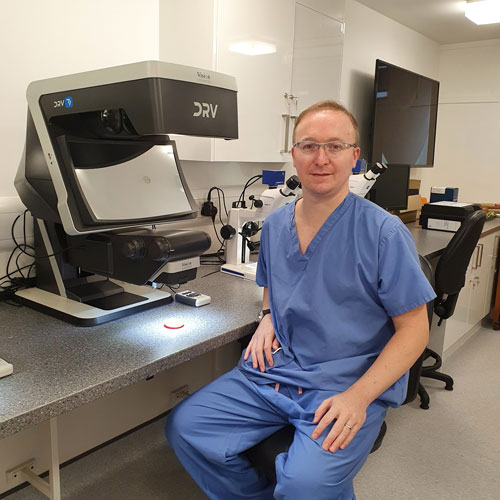
Through the use of the DRV-MZ1 trainees in the Glasgow based surgical simulation suite are reaping the dual benefits of optical stereo microscopy and advanced digital technology in a single system. The DRV-MZ1 provides impressive levels of simulation by delivering fully immersive 3D visualisations with outstanding perception of depth.
Technical information
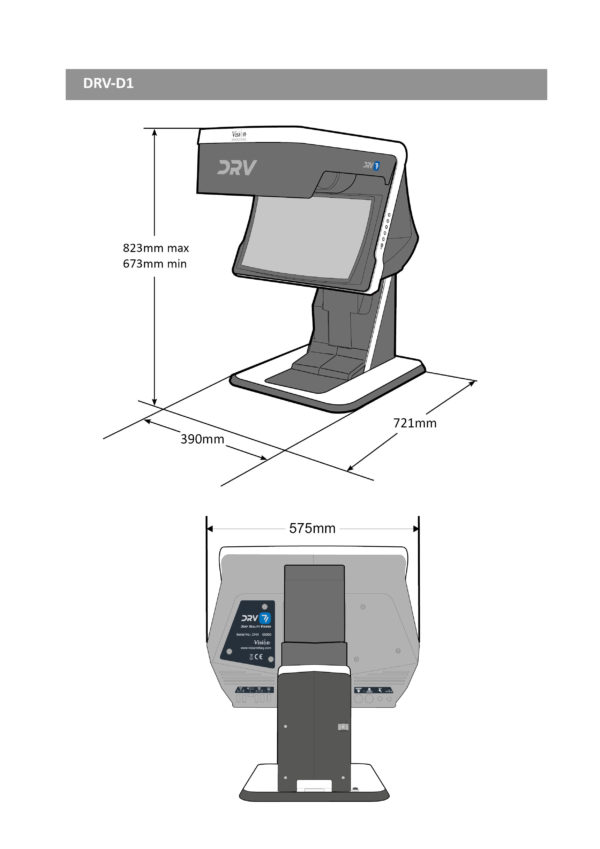
| Category | Specification | Detail |
| Display Head | Resolution | 1920 x 1080 per channel |
| Image size on concave mirror | 400 x 225 mm in 16:9 aspect ratio | |
| Digital zoom | 2x | |
| Working distance (maximum) | 182 mm | |
| Inputs | Power supply | 100–240 VAC 50/60 Hz |
| Outputs | Image capture | USB 2.0 |
| Video capture | HDMI cable to an external video capture card | |
| Connection to external 2D/3D monitor | HDMI | |
| Connection to second or multiple DRVs | HDMI daisy chain / Wi-Fi connection | |
| Stand | Counterbalanced stand | 150 mm vertical travel |
| Fully adjustable sub-stage illumination | Optional | |
| Zoom Module | Zoom module | 10:1 optical zoom with fully adjustable surface illumination |
| Weight | Maximum system weight | 45 kg |
| Objective Lens | Zoom Range | Working Distance ‘A’ | Field of View at MAX zoom | Field of View at MIN. zoom |
| 0.33x | 6.1x – 61x | 182 mm | 6.5 mm / 3.7 mm | 65 mm / 37 mm |
| 0.4x | 7.4x – 74x | 138 mm | 5.4 mm / 3.0 mm | 54 mm / 30 mm |
| 0.5x | 9.3x – 93x | 93 mm | 4.3 mm / 2.4 mm | 43 mm / 24 mm |
| Stereo Camera Module | |
| Image Sensors | 1 / 2.8” |
| Channel Resolution | 1920 x 1080 (per channel) |
| Pixel Size | 2.9 µm |
| Colour Depth | 8 bit |
| Power Source | 5 V via USB |
| Power Consumption | 4.9 W |
| Video Transmission Method | 2 x HDMI |
| Frame Rate | 60 fps |
| Aperture Control | Yes |
| Beam Splitter | Fixed and selectable options |
| Power and Video Ports | Located on bottom of Camera 234 |
| Dimensions (L x W x D) | x 120 x 80 mm |
Get the full DRV brochure. Fill in your details below.
Frequently asked questions
Below you can find some of the most common questions.
Yes. DRV can be interfaced with external digital stereo cameras, digital stereo endoscopes, digital stereo microscopes, etc via two video outputs, one for the left eye and one for the right eye. DRV also supports HDMI stereo frame packing method over a single HDMI cable. Other stereo video formats can be also supported using an auxiliary PC between the capturing device and the DRV.
Yes. Many popular Common Main Objective (CMO) stereo microscopes can be interfaced with the DRV, using a DRV stereo camera module available separately.
Yes, using two HDMI cables (one for the left channel and one for the right channel) and an adequate graphics card, DRV can be connected to the PC and can be used as a stereo display for viewing in true stereo computer generated 3D models or stereo videos/photos.
DRV doesn’t impose additional requirements beside those required by the stereo software package in use. For software packages which require OpenGL quad buffered stereo support, any quad buffered stereo capable graphics card (NVIDIA Quadro or AMD RadeonPro/FirePro) can be used with DRV. For software packages that operate in dual screen mode, any graphics card capable to support two video outputs can be used with DRV.
Active shutter glasses technology, suffers from flickering, cross-talk and ghosting, which provokes eye strain. DRV delivers a brighter image with no flickering or ghosting. NVIDIA “3D Vision” active shutter glasses and emitter are no longer supported by the manufacturer.
For applications where stereo 3D viewing is required (without head tracking), DRV delivers a bright, high resolution stereo image at a comfortable viewing distance. DRV doesn’t suffer from the problems associated with the use of VR goggles, such as, screen door effect, VR motion sickness, isolation, eye-strain, “welders neck”, hygiene. The advantage of not having to wear VR goggles also means the user can comfortably wear their prescription glasses, if needed, and retain their peripheral vision for easy reference to documents, instruments and colleagues.
Yes. DRV allows you to use your prescription glasses and eliminates the need to wear additional polarisation glasses.
No. DRV is a stereo display which works out of the box. We also supply easy to follow documentation on NVIDIA and AMD graphics card configurations, as well as guidance on interfacing DRV with external image capturing devices.
No. It takes approximately 15 minutes to unpack and assemble.
DRV requires minimal setup as the stereo generating optics of DRV are precisely factory aligned which ensures optimal stereo fusion from the outset. No in-use maintenance or adjustment of image alignment is necessary.
DRV is supplied with a comprehensive user guide. Unpacking, assembly and handling instruction videos are also available.